Reggie!


@regularExpression
/^I'm Reggie! I like autoquirking software and helping people configure it. :) The[ym] pronouns please. DMs are always open if you want help with autoquirking!$/


HELLO MY GOOD BITCHES. YOu WILL BE PLEASED. DELIGHTED EVEN. THAT MANY uNFORESEEN CHANGES HAVE TAKEN PLACE TO THE BETTERMENT OF ALL. ER HEM. ER HEHEHEHEM. ER HEHEHEHEHEM. HEHEM. NOW. MY THuMBS ARE READY. AS OF TODAY. NuMBER ONE. YOu SHOuLD BE FuLLY CAPABLE OF IMPLEMENTING MXRP / MSPARP STYLE BITCHING BBCODE. IN EACH OF YOuR POSTS. FOR THE CONVENIENCE OF SPEEDREADERS. THIS IS THINGS YOu MAY ALREADY BE FAMILIAR WITH. THIS MEANS ITALICS. BOLD AND STRIKETHROuGH. SuBTEXT. AND SuPERTEXT. ANY BITCHBREAKING COMBINATION OF THE AFOREMENTIONED. AND EVEN FuRTHER BEYOND. TAKE A LOOK FOR YOuRSELF. (https://chittr.ing/formatting) BECOME uTTERLY. TRICKSY. AND. COLORFuL. JuST LIKE. EVIL WORKING CLASS ICON. AND TITAN OF INDuSTRY. SARuMON OF MANY COLORS. NuMBER TWO. I AM NOT ONE FOR FORFEITING POWERS. IN FACT. THE MERE THOuGHT IS ENOuGH TO GIVE ME AN ANEuRYISM OF uNBEARABLE PROPORTIONS. BuT WHEN IT COMES TO EMPOWERING OTHERS. WELL. I WILL STILL BELLYACHE. HOWEVER. YOu HAVE ALL BEEN GIVEN. THE MuCH ANTICIPATED ABILITY. TO ORDER YOuR CHARACTER PROFILES. AS YOu SEE FIT. OH YES. THIS MEANS YOuR MANY MAN MILITIA OF MARCHING ALTERNATES. CAN BE TIDILY SORTED IN A MANNER OF YOuR CHOOSING. YOu CAN BE YOuR OWN PIKACHu. YOuR OWN STARTER. YOuR OWN. FIRST PARTNER. IN SETTINGS. FOuND HERE: https://chittr.ing/settings#character-order NuMBER THREE. HASHTAGS WILL NOW APPEAR. IN THE DOPE ASS ORDER YOu ELECT TO SELECT. THIS MEANS. SEQuENTIALLY. WHERE TYPED. HASHTAGS WILL APPEAR. ANY SECRET RING DECODER CEREAL BOX ASS ARG SHENANIGANS YOu WISH TO DEPICT ON THIS VAINGLORIOuS PLATFORM. SHALL BE DEPICTED. SEQuENTIALLY. IN A MANNER. MORE EASILY uNDERSTOOD. BY #DORKS AND #GEEKS AND #CHERISHEDFRIENDS WHO EXCEL uNDER BETTER uNDERSTOOD CIRCuMSTANCES. GONE ARE THE DAYS WHERE I SWAT THEM LIKE A CAT DOES DEAD THINGS. ALIVE ARE THE DAYS WHERE. THAT DOES NOT HAPPEN ANYMORE. NuMBER FOuR. I HAVE RECEIVED A NuMBER OF. uNMERITED. COMPLAINTS. ABOuT THOSE WITH ALLEGIANCES TO THE FELT. LEAVING AN INORDINATELY MANY NOTIFICATIONS. uTTERLY FALSE IN EVERY SENSE OF THE SCANDALIZED WORD. YOu ALL RECEIVE. EXACTLY THE NuMBER OF NOTIFICATIONS. CORRESPONDING TO THE RESPONSES YOu GET. BE IT FROM A CRIMINAL SYNDICATE ORGANIZATION. OR OTHERWISE. HOWEVER. HAVING TO CLICK MuLTIPLE TIMES CAN PROVE IRKSOME. AS SuCH. YOu SHOuLD NOW BE ABLE TO CLEAR ALL NOTIFICATIONS. WITH A SINGLE CLICK. THE FIRST TIME YOu CLICK. ALL OF THIS. AND MORE. IN STORE. FOR YOu. THE LOYAL uSERS OF CHITTR DOT ING. THANK YOu FOR YOuR PATIENCE. EVEN THOuGH WE ONLY HAVE ALL THE TIME IN THE WORLD. IT IS ALWAYS A PLEASuRE TO MAKE TIME. FOR YOu. PRIZED CAPTIVATED CAPTIVES. AND ENTERTAINMENT MONGERS. LET IT NEVER BE uNDERSTATED. THE EXPERIENCE THIS WEBSITE AFFORDS IS FAR FROM A TRIVIAL ONE. ON EITHER SIDE OF THE GIGANTIC CuRTAIN. YOu ARE A STuNNING COMMuNITY. TRuLY. I COuLD NOT HAVE AMASSED A MORE GRAND POSSE OF PuNKASSES. HAD I ALL OF TIME ITELF TO LORD OVER. AND I QuITE LITERALLY DO.
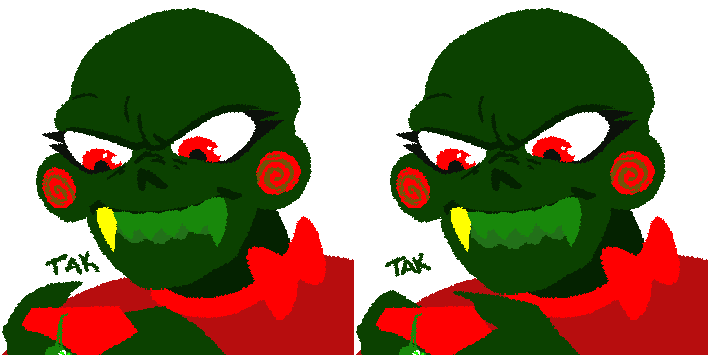
/^Just a friendly reminder to everyone that there's no shame in using autoquirking software! Some quirks are difficult to type, and if you need an autoquirker to help you type your quirk (or even if you just want one for convenience!), that doesn't make it any less of a valid extension of your personality.$/


you know i have always wondered if i should decide on a quirk it never really mattered to the wolf but even she thought it was weird we didnt i know humans dont usually have quirks but 1) i am a puppy and 2) i have not spent much time around other ("other") humans!! should i give myself a prefix or something? lots to think about...


Interesting.
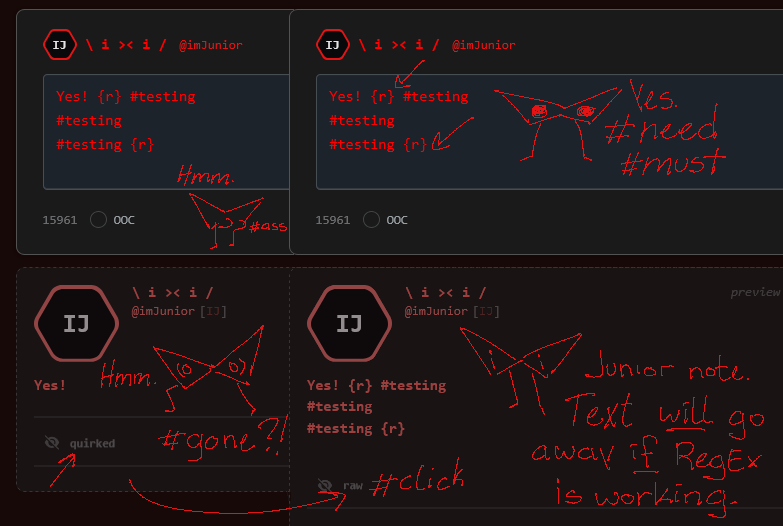



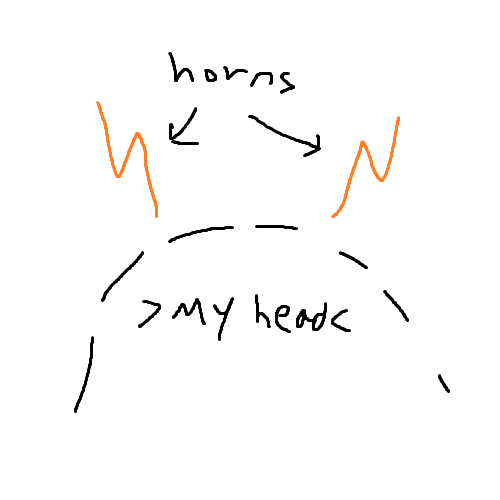
> 12 there a character that look2 l1ke th12 that 1 can u2e 1n a 2m1ley http2://f1le.garden/aUj1n6p2K2beHWDq/horn2ymbol.png <


Disclaimer: This isn't pointing fingers or being mean, but I am asking just politely because of my visual issues. // I hate to be that guy, but since I use a screenreader, I ask that if you do not use the quirk feature built into the website, not use quirks on my posts when replying! There are a few of you, and I cannot read what is being said, and it's hard to make it out for me! Accessibility features are being bypassed for character writing preferences. Your character is inaccessible to me! I AM NOT TRYING TO BE MEAN. I would appreciate it if I could read your stuff without having to ask you to drop your quirk.
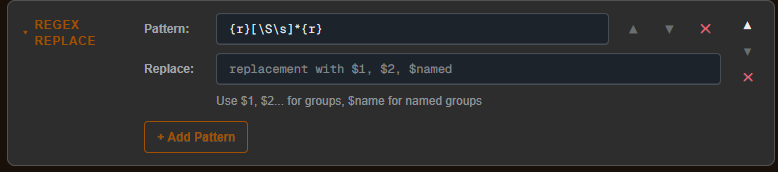
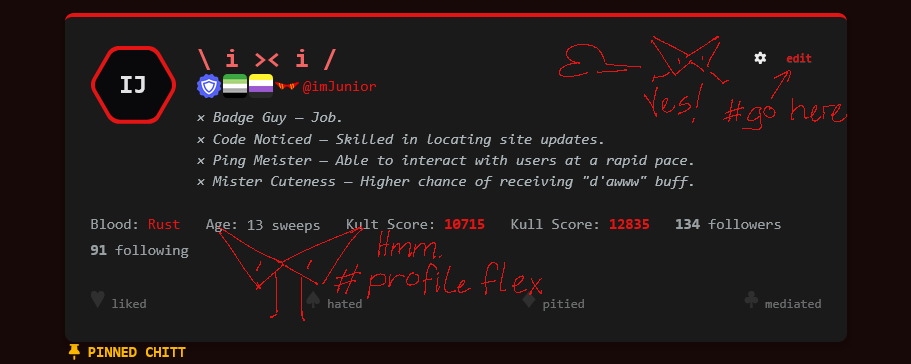
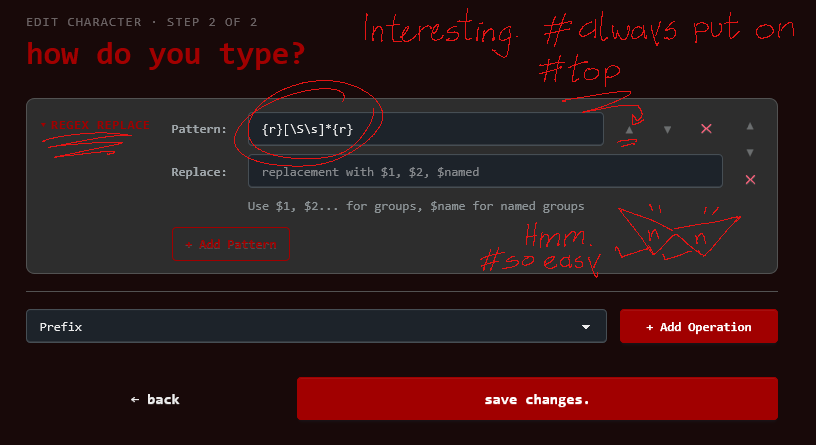
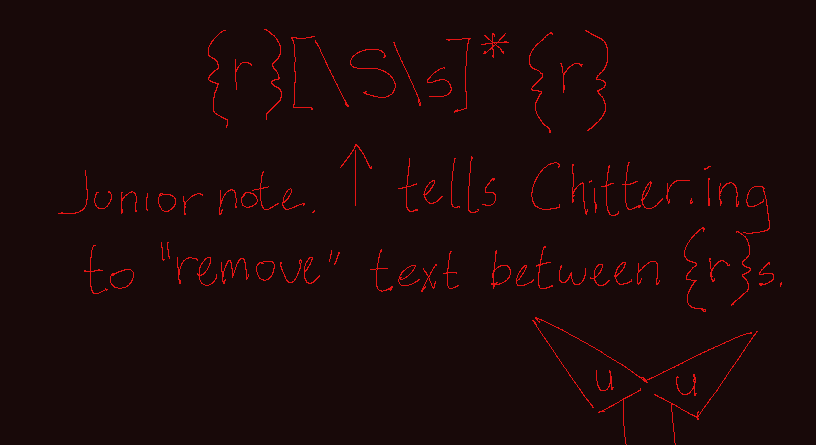
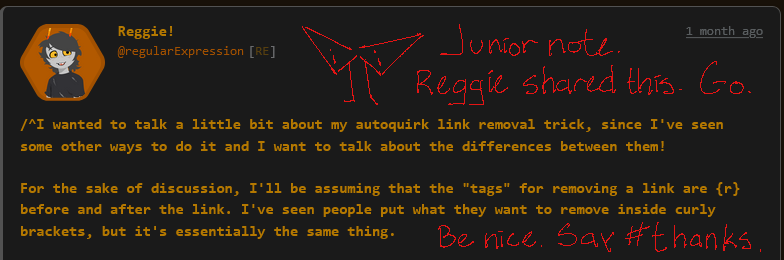
/^I wanted to talk a little bit about my autoquirk link removal trick, since I've seen some other ways to do it and I want to talk about the differences between them! For the sake of discussion, I'll be assuming that the "tags" for removing a link are {r} before and after the link. I've seen people put what they want to remove inside curly brackets, but it's essentially the same thing. Some trolls use the following regex for link removal: {r}.*{r} This works fine in most cases, but requires everything you want removed to be on one line. If you have a suffix in your quirk like me, that means you need to put all of the links and tags you want to remove all on the same line at the end of your message, which I find to be clunky. This is why I use the following regex instead: {r}[\S\s]*{r} By replacing . with [\S\s], the regex instead will remove any whitespace or non-whitespace characters from between the {r} tags, which means newline characters will be removed as well! I can simply put a single {r} at the end of my message where I want the suffix to be, then post my link (or links) after a newline! I find this to make writing posts to be much easier, and it makes everything look a lot cleaner when the unquirk button is clicked too. Hope this was a good explanation! Let me know if you have any questions. ᐟ∧.∧ᐟ$/
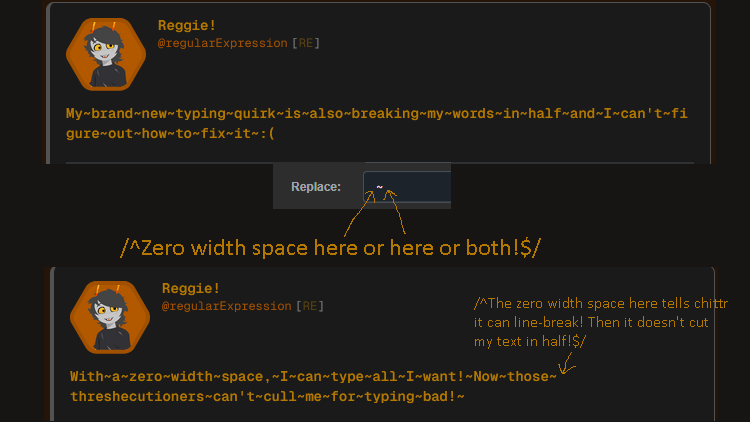
/^Similar to one of my other tips but still worth mentioning: if your quirk replaces spaces, it might be worth adding some zero width spaces in their place! Zero width spaces are exactly what they sound like, "spaces" that take up no space. This can be incredibly useful, as regular spaces tell the program you're using that they can split to a new line if they need to, so if you remove them you might end up with words getting cut in half. You can use the site I shared last time to copy a zero width space, or someone set up a nice website specifically for the purposes of grabbing one. https://zerowidthspace.me/ Adding zero width spaces to your quirk makes sure line-breaks only happen where you want them to, and not anywhere else!$/



/^One of my favorite autoquirking tricks for this site in particular is being able to hide tags and links from your post! I can attach an image to this post without the image link appearing in the quirked text by adding this (or something similar) to my autoquirking. This can be useful for links, tags, or anything else you might want to hide to anyone who doesn't unquirk your message!$/